
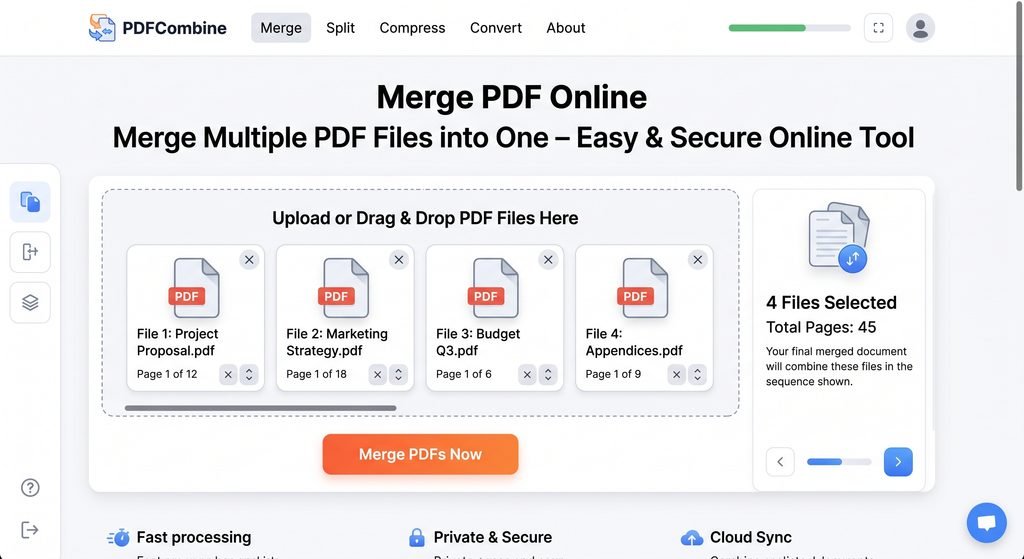
Merge PDF online is a pretty easy to use and totally free tool that allows users to merge an unlimited number of PDF files quickly. If you want to merge files for personal, business, educational, or any other needs, then the online PDF merger is the thing you need. You will just have to upload two or more PDF files, select the order in which pages need to be put and press the Merge & Download PDF button.
The online PDF merger works in your browser, so you will not have to install any additional applications or upload files on a server. What is more, you will have a chance to change the order of PDF documents before merging them, so you will be able to merge invoices, assignments, reports, certificates, etc.
Merge PDF Files
Combine multiple PDF files into one document quickly and securely.
Drop your PDF files here
or select multiple PDF files from your device
Selected Files (0)
How to Merge PDF Files Online?
- Press Choose PDF files
- Select more than two PDF files.
- Change the order of the PDF files by dragging and dropping them.
- Delete unwanted files if you want to delete them.
- Press the Merge & Download PDF button.
- The PDF will be downloaded automatically.
Why Use Our PDF Merger Tool?
- At absolutely zero cost
- There is no need to install any application
- Combine multiple PDF files
- Organize your PDF files before combining them
- Delete unnecessary files
- Accessible from any computer
- Quick and easy to use
- All file actions can be performed right in the browser
Frequently Asked Questions
What is a PDF merger?
A PDF merger is an online program which helps users combine two or more PDF documents into a single PDF file.
Is this PDF merger free?
Yes. This tool helps users merge their PDF files without paying for a subscription.
Can I merge multiple PDF files?
Yes. Users can choose multiple PDF files and merge them into one single PDF file.
Can I reorder my PDF files?
Yes. After uploading PDF files, you can rearrange your PDF files according to your choice before merging them.
Are my PDF files uploaded to a server?
No. The tool allows users to process PDF files through JavaScript and pdf-lib.js library in your web browser.
Can I use this PDF merger from my mobile phone?
Yes. The PDF merger tool is responsive and works well with smartphones, laptops, tablets, and other devices.
Do I need any software installation?
No. You just need to have a modern web browser to make use of this tool.

No Comment! Be the first one.