
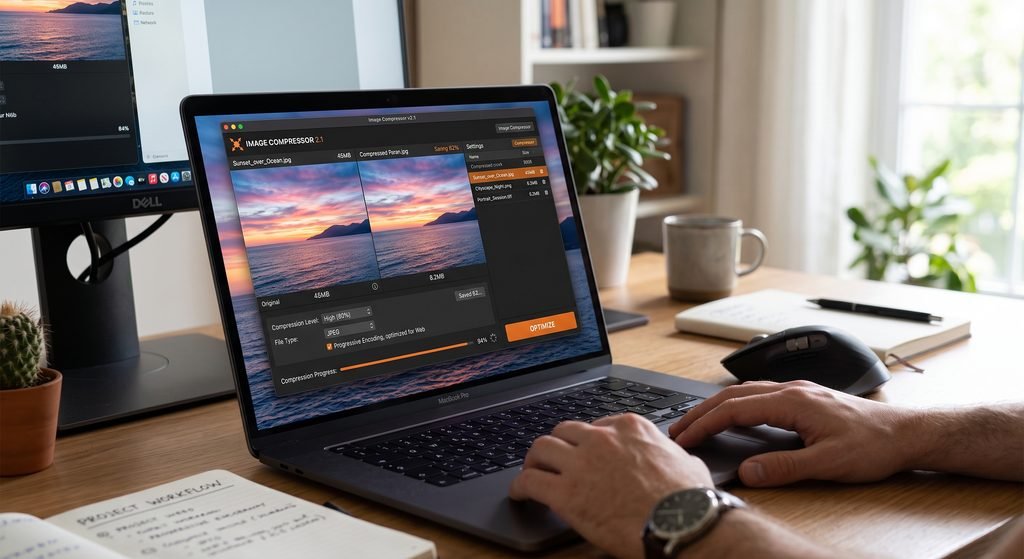
The Image Compressor is a highly efficient and uncomplicated web-based service that enables you to compress JPG, PNG, and WebP images easily, eliminating the need for any special software or installation.
Bigger image files might require more time to upload, send, and load in case of being placed on a website; this can be detrimental both to your user experience and the speed of page loading.
All you have to do with ToolMatrix Image Compressor is upload your image, select the desired level of compression, see how the image looks, compare its file size to the size of the original, and get your compressed image ready to download. It all happens within your browser, and you don’t even need a computer, as you can use the tool on a tablet or mobile phone as well.
Compress JPG, PNG, and WebP images online with ToolMatrix. Adjust image quality, compare file sizes, and download optimized images directly from your browser.
Image Compressor
Compress JPG, PNG and WebP images directly in your browser.
Key Features
- Compress JPG images
- Compress PNG images
- Compress WebP images
- Adjustable compression quality
- Original image preview
- Compressed image preview
- Original file size
- Compressed file size
- Space saved calculation
- Compression percentage
- Drag-and-drop upload
- Instant browser-based processing
- Download compressed image
- Reset option
- Mobile-friendly interface
- No software installation required
How to Use the Image Compressor
- Open the ToolMatrix Image Compressor.
- Upload a JPG, PNG, or WebP image.
- You can also drag and drop an image into the upload area.
- Adjust the compression quality using the slider.
- Click Compress Image.
- Compare the original and compressed images.
- Check the original size, compressed size, and percentage saved.
- Click Download to save the optimized image.
Why Should You Compress Images?
Large images can consume unnecessary storage and bandwidth. Compressing images can make them easier to upload, share, and store. For websites, properly optimized images can also help reduce the amount of data that visitors need to download.
Frequently Asked Questions
What is an image compressor?
An image compressor is an online or software-based tool that reduces the file size of an image while attempting to maintain acceptable visual quality.
Can I compress JPG images online?
Yes. ToolMatrix Image Compressor allows you to upload JPG images and compress them directly in your browser.
Can I compress PNG images?
Yes, PNG images are supported. The resulting file size can vary depending on the image and browser encoding.
Does the Image Compressor support WebP?
Yes. You can upload WebP images and optimize them using the compression controls.
Does image compression reduce quality?
It can. The amount of quality reduction depends on the compression settings and image format. A higher quality setting generally preserves more visual detail.
How much can an image be compressed?
There is no fixed percentage because compression depends on the image format, dimensions, content, and selected quality level.
Is this Image Compressor free?
Yes, the ToolMatrix Image Compressor can be provided as a free online utility.


No Comment! Be the first one.